
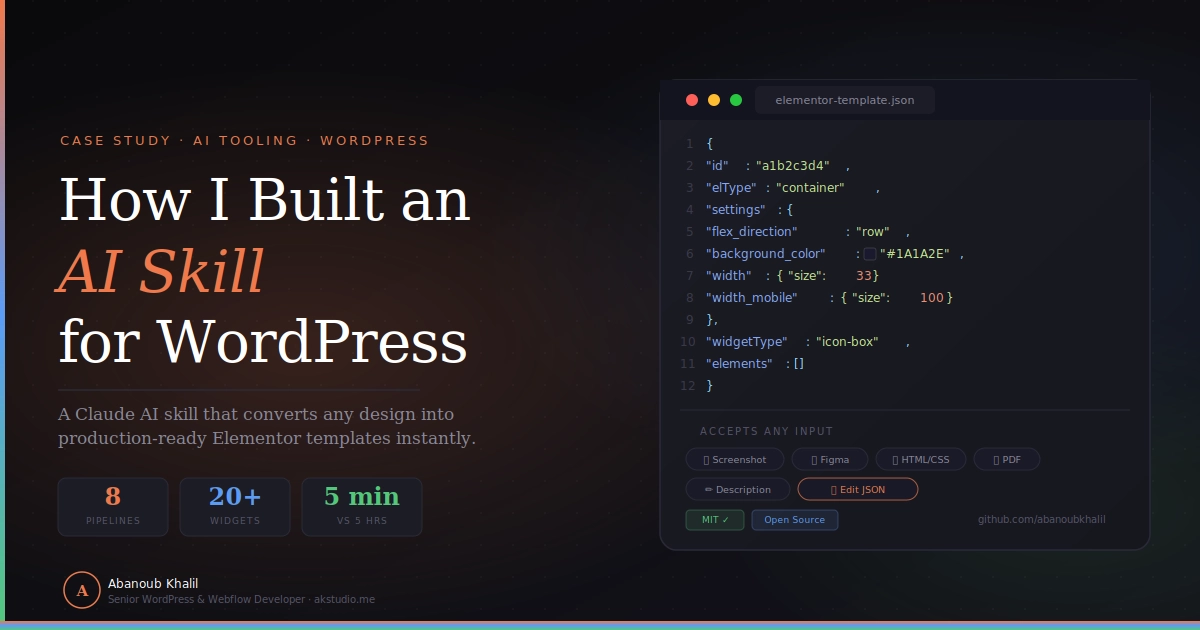
I’ve built over 20 WordPress sites in the past 7 years. A large chunk of that time was spent doing the same thing: looking at a design file, then manually recreating it in Elementor — one widget, one setting, one responsive breakpoint at a time. So I built an AI skill that handles the translation layer for me. This is the technical story of how I built AK Elementor Studio.
The Problem Every Elementor Developer Knows
Every Elementor project follows a predictable rhythm. A client sends you a Figma file, or a screenshot, or some HTML they found. You open Elementor. You identify the sections. You map each visual element to a widget. You set the background color, then the font size, then the padding. You do it again for tablet. Again for mobile.
The creative part — understanding what a client needs, making design decisions, solving layout problems — is maybe 30% of the time. The other 70% is translation work: converting visual patterns into Elementor JSON settings, property by property.
For a full landing page, this takes me 3–5 hours. That’s acceptable on a high-budget project. On a quick prototype or a tight-margin freelance build, it starts to hurt.
The core insight: The translation layer — design → Elementor settings — follows learnable, repeatable patterns. If I could encode those patterns, an AI could apply them automatically.
Before vs. After
| ❌ Before — Manual Process | ✅ After — AK Elementor Studio |
|---|---|
| Open Figma, analyze layout section by section | Upload design to Claude (image, code, or PDF) |
| Manually identify widget type and nesting | Skill auto-detects input type and pipeline |
| Extract colors, estimate font sizes by eye | Analyzes layout, colors, fonts automatically |
| Set padding, margin, border on every element | Generates complete responsive Elementor JSON |
| Repeat for tablet and mobile breakpoints | Validates output, delivers importable .json |
| 3–5 hours for a landing page | Under 5 minutes, ready to import |
What AK Elementor Studio Does
AK Elementor Studio is a Claude Code skill — a structured instruction set that gives Claude AI the domain knowledge needed to act like a senior Elementor developer. When you provide a design input, it follows a defined pipeline and outputs a .json file you can import directly into WordPress.
It handles any input type
- 📸 Screenshots & Mockups — PNG, JPG, WebP of any webpage or UI design
- 🎨 Figma Exports — Any Figma design file or component export
- 💻 HTML / CSS / JS — Paste code directly or upload as a file
- 📄 PDF Files — Single-page or multi-page design documents
- ✏️ Text Descriptions — “A dark hero with a 3-column features grid and CTA”
- 🔧 Existing Templates — Upload any Elementor .json file to edit it
Key numbers
- 8 specialized pipelines — one per input type
- 20+ Elementor widget types mapped and documented
- 3 responsive breakpoints on every generated element (desktop, tablet, mobile)
The Architecture: Encoding 7 Years of Expertise
A Claude Code skill is a SKILL.md file — a Markdown document placed in your Claude skills directory. Claude reads it and follows its instructions during your conversation.
The bet I was making: expertise is encodable. The patterns I’ve internalized over 7 years — how to recognize a 60/40 column layout, when to use an icon-box widget vs. an html widget, the correct JSON structure for a flex container — are all expressible as structured rules. I just had to write them down in a format Claude could follow reliably.
The skill is organized into three layers:
- Input Router — Detects whether you provided an image, code, PDF, or text, and routes to the right pipeline.
- Analysis Pipelines — One per input type, with phase-by-phase instructions for visual scanning, color extraction, typography estimation, grid mapping, and widget recognition.
- Reference Library — Four reference files containing widget JSON structures, CSS-to-Elementor mappings, visual analysis techniques, and pre-built section patterns.
File structure
ak-elementor-studio/
├── SKILL.md                   ← Main instruction file
└── references/
    ├── widget-map.md          ← JSON settings for every Elementor widget
    ├── style-map.md           ← CSS property → Elementor JSON lookup table
    ├── visual-analysis.md     ← Deep guide for analyzing images/PDFs
    └── section-patterns.md    ← Pre-built JSON for common sections
The references/ folder is where the real domain knowledge lives. widget-map.md alone is 21KB of documented Elementor widget structures. section-patterns.md is 36KB of pre-built patterns for heroes, feature grids, testimonials, pricing tables, and footers.
Inside the Visual Pipeline
The most complex pipeline runs when you upload an image or Figma export. It has 7 phases:
- Visual Scan — Reads the design top-to-bottom: Navbar → Hero → Content Sections → Footer
- Color Extraction — Estimates hex values by visual analysis (always
#hexcode, never “blue”) - Typography Estimation — Font size by visual proportion, weight, and Google Fonts matching
- Grid Mapping — Translates column layouts to Elementor flex container structure
- Widget Recognition — Matches every UI element to the correct Elementor widget type
- Spacing Estimation — Padding and margin values from visual proportions
- JSON Generation — Outputs validated, responsive Elementor JSON
How layout mapping works
The skill has a grid mapping table that translates visual column patterns into Elementor’s flex container structure. For example, a 3-column feature grid becomes:
→ parent container (flex-direction: row, flex-wrap: wrap)
  + 3 inner containers (isInner: true)
    "width":        { "unit": "%", "size": 33 },
    "width_tablet": { "unit": "%", "size": 50 },
    "width_mobile": { "unit": "%", "size": 100 }
A Real Conversion Example
Input: A screenshot of a SaaS landing page — dark hero section, 3-column features grid, and a gradient CTA banner. No code. No Figma file. Just the screenshot.
What the skill does:
- Phase 1 identifies 4 sections: navbar, hero, features grid, CTA banner
- Phase 2 extracts the dark background as
#1A1A2E, accent as#007BFF - Phase 4 maps the grid to 3 inner containers at
width: 33.33% - Phase 5 identifies each feature block as an
icon-boxwidget - Output includes responsive breakpoints: 50% on tablet, 100% on mobile
Result: A page that would have taken 2–3 hours to build manually, generated as valid, importable JSON in under 5 minutes.
Elementor Free vs. Pro
The skill generates Free-compatible output by default. When Pro features are needed, it flags them clearly and offers a Free alternative:
| Feature | Version | Skill Approach |
|---|---|---|
| Containers, widgets, columns | Free | Always used |
| Responsive breakpoints | Free | Always included |
Custom CSS (custom_css) |
Pro | Flagged ⚠️ + Free fallback |
| Popup Builder | Pro | Flagged ⚠️ |
| Scrolling / Parallax Effects | Pro | Flagged ⚠️ + CSS fallback |
| Form Widget | Pro | Flagged ⚠️ + shortcode alternative |
Why I Built This as a Claude Skill (Not a Web App)
I considered building a standalone web app. But a Claude skill turned out to be the better format for several reasons:
Zero infrastructure. No server, no database, no API keys to manage. The skill lives as a Markdown file.
Context-aware conversations. Inside Claude, I can iterate on the output in natural language, ask follow-up questions, and reference previous messages. A web app gives you a form; a skill gives you a conversation.
Composable. The skill works alongside other Claude tools. If you have the WordPress MCP connector set up, it can push the generated template directly to your site as a draft — no manual import needed.
Shareable. Anyone using Claude Code can install it with a single git clone. No sign-ups, no subscriptions.
The broader lesson: AI skills are a new kind of professional artifact — they encode expertise, require no infrastructure, and compose naturally with other tools. For domain experts, they’re worth exploring seriously.
What’s Next
The skill is live and open-source. Planned improvements include more pre-built section patterns (testimonials, pricing tables, portfolio grids), tighter WooCommerce support, and better handling of complex JavaScript components.
If you find a widget mapping that’s missing or a section pattern that would be useful — pull requests are welcome on GitHub.
Try It Yourself
AK Elementor Studio is open-source and free to use.
👉 View on GitHub — ak-elementor-studio
To use it: install Claude Code, clone the repo into your skills directory, then upload any design file and ask Claude to “convert this to Elementor.”
If you’re a WordPress developer or agency owner interested in AI-powered workflows — or if you need a senior developer for your next project — get in touch.
Abanoub Khalil is a Senior WordPress & Webflow Developer based in Cairo, Egypt, currently at InVitro Capital managing InVitroCapital.com, AllCare.ai, and AllRx.ai. 85 live projects across Egypt and the MENA region. akstudio.me